
How Cloudflare Decides If You’re Human or a Bot
How Cloudflare Decides If You’re Human or a Bot
Cloudflare
Cloudflare is one of the most widely used internet infrastructure providers. It operates a global network that accelerates and protects web traffic for millions of websites and applications. Its services include CDN delivery, DNS, security layers, and reverse-proxy routing that help websites load faster while staying protected from attacks. A significant share of global internet requests pass through Cloudflare before reaching their destination.
What it does
We All See “Verify You Are Human” Before Visiting a Website
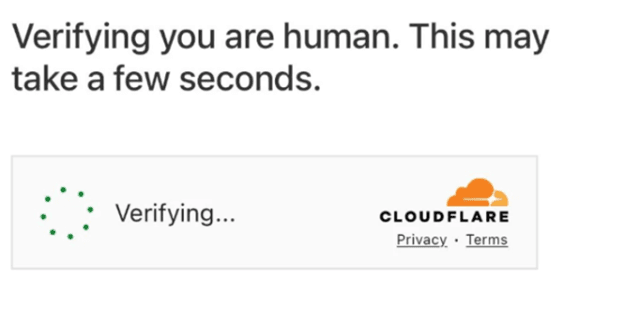 Almost everyone has encountered this message
Most of us simply click through without thinking twice. But this screen exists for a very specific reason.
Why Do We See It?
This page appears when Cloudflare’s security systems detect something unusual in your request — anything that resembles automated or risky traffic. It could be an abnormal request frequency, a suspicious signature, or signals that look like bots.
What Happens in the Backend
When your request reaches Cloudflare, its security layers and Bot Management system evaluate it.
If the system believes your request might not be from a human, it shows the verification screen. Once you pass the check, Cloudflare issues a temporary clearance token and forwards you to the actual website.
Below are the techniques Cloudflare uses before forwarding:
Browser Integrity Checks
-
What it checks: headers, metadata, and basic traits of real browsers
-
Why it’s effective: bots often send incomplete or incorrect headers
A real Chrome browser sends many standard headers. A simple script using curl sends only one or two. Cloudflare instantly spots the difference.
JavaScript Execution Tests
-
What it checks: whether the browser can run small JavaScript tasks
-
Why it’s effective: many bots cannot execute JS accurately
When you see “Checking your browser…”, your browser runs a tiny script. A basic bot can’t run this, so it gets blocked or challenged.
TLS / Connection Fingerprinting
-
What it checks: subtle characteristics of how your browser creates a secure connection
-
Why it’s effective: TLS fingerprints are hard to fake
Chrome on Windows has a predictable handshake pattern. A headless bot has a different one. Cloudflare immediately notices the mismatch.
Cookies and Session Tokens
-
What it checks: whether the browser has valid Cloudflare-issued tokens
-
Why it’s effective: tokens prove the client has already passed earlier checks
After you complete one challenge, Cloudflare gives your browser a token. Bots usually fail to store or return this token correctly.
Behavioral Analysis
-
What it checks: how the visitor behaves over time
-
Why it’s effective: humans behave unevenly; bots behave too consistently
A human navigates pages with pauses, scrolls irregularly, and clicks naturally. A scraper requests 50 pages in perfect intervals. Cloudflare identifies the pattern instantly.
Machine-Learning Scoring
-
What it checks: global traffic patterns and bot-likelihood signals
-
Why it’s effective: ML models catch evolving bot behavior
Your request might look slightly unusual, but ML sees thousands of similar suspicious requests worldwide and assigns a higher bot score.
IP Reputation and Rate Limiting
-
What it checks: whether the IP or network is known for suspicious or high-volume activity
-
Why it’s effective: many attacks originate from known bad IP ranges
If an IP has attacked multiple sites recently, Cloudflare challenges or blocks it automatically.
CAPTCHA or Interactive Challenges
-
What it checks: human input when all other signals are unclear
-
Why it’s effective: humans can solve CAPTCHAs; unattended bots cannot
If traffic looks borderline suspicious, Cloudflare shows a CAPTCHA. A real user completes it and moves on; a bot stops.
Imagine you are traveling and using public Wi-Fi at an airport. Hundreds of people are sharing the same network, and several devices may be sending requests from the same IP range. To Cloudflare, this can look similar to automated or scripted traffic.
To keep the website safe, Cloudflare presents a quick “Verify you are human” challenge. You pass the test; Cloudflare clears your browser, and you’re allowed through — while potential harmful traffic is filtered out.
This small step protects websites from DDoS attacks, credential-stuffing attempts, scraping bots, and other malicious automation without burdening the site’s servers.
Conclusion
Cloudflare operates at a scale most users never notice, yet almost everyone relies on it every day. The familiar “Verify you are human” screen is only the visible tip of a much larger system designed to identify risks, filter harmful traffic, and ensure that legitimate users reach the websites they intend to visit. Behind that brief interruption sits a sophisticated stack of browser checks, behavioral analysis, TLS fingerprinting, machine-learning models, and global reputation signals — all working in real time to distinguish humans from automated threats.
This multilayered approach allows Cloudflare to protect millions of applications from DDoS attacks, credential abuse, scraping bots, and other automated risks without placing additional load on the underlying websites. Although these mechanisms sometimes introduce minor friction for users, they are essential to maintaining stability, security, and performance across the internet.
Understanding how Cloudflare evaluates requests not only clarifies why verification prompts appear but also highlights the amount of intelligence, automation, and engineering expertise required to keep the modern web safe and reliable. In a digital ecosystem where threats evolve continuously, systems like Cloudflare form the backbone of trust and resilience that the global internet depends on.
About the Author

Aditya Shukla
Aditya is a tech-focused Business Analyst and Project Manager skilled in turning complex requirements into clear, executable products.
About the Author
Aditya Shukla
Aditya is a tech-focused Business Analyst and Project Manager skilled in turning complex requirements into clear, executable products.